How to Improve Team Productivity in Your NZ Business
If you want to genuinely improve your team's productivity, you need to start with the low-hanging fruit. I’m talking about the quick, impactful changes that deliver value straight away. Before you even think about overhauling entire systems, your first mission is to hunt down the small, daily bottlenecks that, once fixed, free up a surprising amount of time and build momentum for bigger projects.
These initial victories are everything when it comes to getting your team on board.
Find Your Quickest Productivity Wins First

So many Kiwi business owners I talk to reckon that boosting productivity means launching some massive, complicated project. The reality? The most effective first steps are often the simplest ones. Big transformations can feel overwhelming, but a series of small, smart adjustments can create a powerful ripple effect across your whole operation.
It's all about building positive momentum. When your team sees an immediate benefit from a small change - like less time wrestling with paperwork or fewer repetitive emails - they become more engaged and open to future improvements. It proves that change isn't just possible, it's actually helpful. A great starting point is to focus on how to improve team productivity with quick wins that deliver an immediate impact.
Spotting Your Daily Bottlenecks
The first job is to simply observe where the friction happens day-to-day. These are usually the tasks that everyone complains about but have just become accepted as "the way we do things here."
A fantastic way to uncover these is by doing a simple time audit. Ask your team to track their main tasks for a week, noting what takes up the most time or causes the most headaches. This isn't about micromanaging; it's about gathering intel to make everyone's lives easier.
You'll almost certainly find patterns you never knew existed. For instance, a construction business might realise its tradies are losing an hour every single day manually copying job notes from a paper diary into the main system. A local cafe might discover that juggling phone orders during the lunch rush is creating a huge queue and frustrating in-person customers.
Key Takeaway: The goal isn't to find fault; it's to find opportunities. Look for those high-frequency, low-value tasks that can be simplified, automated, or even eliminated. These are your goldmines for quick productivity gains.
Practical Quick Wins for Kiwi SMBs
Once you've pinpointed the bottlenecks, you can roll out targeted solutions. These don't have to be expensive or complicated. Often, a small tweak to a process or a simple bit of software makes all the difference.
Here are a few industry-specific examples I’ve seen work wonders for NZ businesses:
- For Trades & Construction: Ditch the manual quoting. Use a simple app that generates quotes on-site from a pre-made template. It not only saves a heap of time but also looks far more professional and gets the quote into the customer's hands faster.
- For Hospitality: Set up an automated SMS or email to follow up on function bookings and confirm the details. This one change can kill off all the back-and-forth phone calls and ensure nothing gets missed.
- For Professional Services: Use a shared digital calendar for client appointments that syncs across everyone's devices. This instantly stops double-bookings and the endless "Are you free on Tuesday?" email chains.
These small adjustments are the foundation of a more productive workplace. By starting here, you create breathing room, lower team stress, and set a positive tone for the bigger optimisation journey ahead.
Get a Bird's-Eye View by Mapping Your Processes

Once you've snagged those quick wins, it’s time to zoom out. The next real leap in team productivity comes from getting a crystal-clear picture of how work actually flows through your business.
So many Kiwi businesses run on autopilot, using processes that grew organically and were never written down. These unexamined habits often hide small, cumulative inefficiencies that quietly bleed time and money.
Simply put, you can’t fix what you can’t see. This is where process mapping becomes your best friend. It’s essentially creating a blueprint for your operations, letting you visualise every step in a workflow. Once you see it all laid out, the redundant tasks, communication black holes, and perfect opportunities for improvement jump right out at you.
This isn’t just some abstract business school exercise. A recent survey showed a fascinating disconnect: two-thirds of New Zealand business leaders feel the country is in a productivity crisis, yet three-quarters believe their own companies are outperforming competitors. Their secret? Using technology effectively within well-defined processes. It proves that tools alone aren't a silver bullet; it’s how you weave them into a smart workflow that makes all the difference.
What is a Process Map, Really?
"Process mapping" might sound a bit corporate and intimidating, but it’s actually pretty simple. All you're doing is charting a workflow from start to finish, noting every single action, decision, and handover along the way. Think of it as telling the story of how a specific task gets done.
The best place to start? Pick a high-value process that directly impacts your customers. Mapping the journey from a new client enquiry to the final invoice being paid is a classic for a reason - it usually involves multiple people and departments, making it a goldmine for potential improvements.
My Advice: Don't try to boil the ocean. Pick one core process, map it, fix it, and celebrate the win. The momentum and lessons you gain from that first success will make tackling the next one so much easier.
A Real-World Look: A Christchurch Construction Firm
Let’s make this tangible. Imagine a local construction company in Christchurch. On the surface, their new enquiry process seems straightforward: get an enquiry, do a site visit, send a quote, and wait for the good news.
But when they actually mapped it out, the hidden snags and delays became painfully obvious.
Here’s what the detailed map revealed:
- The Enquiry: A potential client fills out a form on the website.
- Manual Labour: The office manager has to copy and paste that info into a spreadsheet, then forward it in an email to the Project Manager (PM).
- The Black Hole: The PM is out on-site and doesn’t see the email for six hours.
- Phone Tag: The PM then starts a game of phone tag with the client to schedule a site visit.
- Old-School Notes: During the visit, the PM scribbles notes on a paper pad.
- Double Handling: Back in the office, he dictates those notes so the office manager can type them up into a formal quote.
- The Bottleneck: The final quote must be approved by the busy owner, who takes another day to get to it.
- Finally Sent: The office manager emails the quote to the client - a full 48 hours after the initial enquiry.
Laying it out like this, the team can immediately see the weak points: manual data entry, communication delays, and a classic approval bottleneck. This map isn't about pointing fingers; it's an evidence-based tool for starting a conversation about how to work smarter. If you're seeing similar issues, our guide on which business processes to automate first can provide a great starting point.
Find Your Process Champion
To make this stick, you need to anoint a ‘process champion’ from within your team. This doesn't have to be a manager. In fact, it’s often better if it’s someone on the front lines who is organised, well-respected, and knows the workflow inside and out.
This person’s job is to lead the charge. They’ll get the right people in a room, guide the mapping sessions, and - most importantly - keep the focus on finding practical solutions, not assigning blame. Your process champion becomes the crucial link between the team doing the work and leadership, ensuring any changes are grounded in reality and have buy-in from day one. That sense of ownership is what turns a diagram on a whiteboard into real, lasting improvement.
Use Smart Automation as Your Productivity Multiplier
Once you have a clear map of how your business actually runs, you're in the perfect spot to bring in some serious firepower: automation. This is where the theory from your process mapping session gets real, turning those annoying bottlenecks into smooth, efficient workflows.
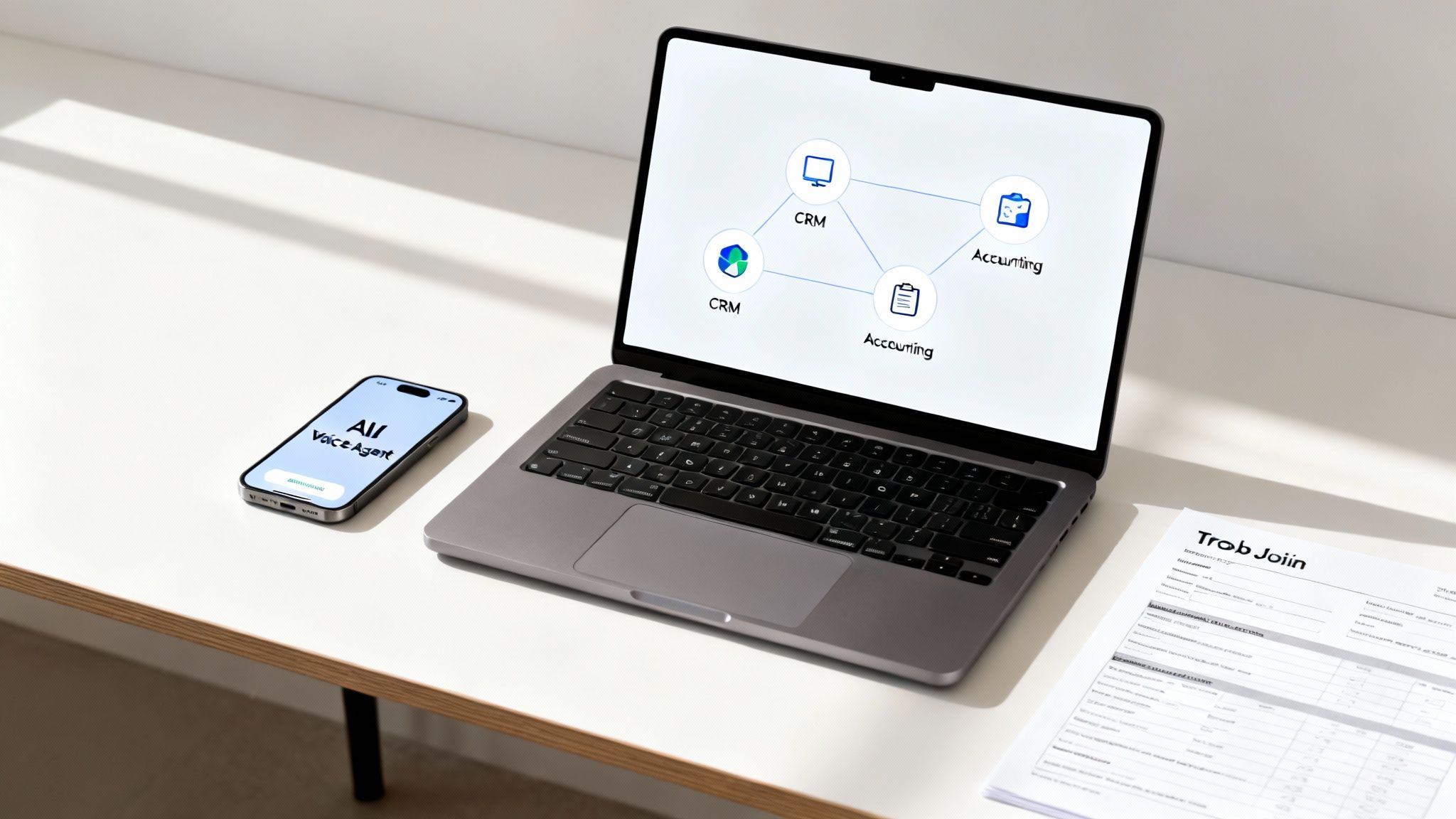
Don't think of automation as some complex, futuristic idea. It’s more like hiring an incredibly fast, perfectly consistent assistant who never needs a coffee break. It's about teaching technology to handle the repetitive, rule-based tasks that currently suck the life out of your team's day.
Get this right, and you free your people from the grind of manual data entry and repetitive admin. This lets them focus on the high-value work that actually moves the needle - things like building customer relationships, strategic planning, and creative problem-solving. This is a non-negotiable step if you genuinely want to improve your team’s productivity.
Identifying Your First Automation Opportunities
The secret to a winning automation strategy is to start small and pick your battles wisely. You’re not trying to automate the entire business overnight. Instead, look for the quick wins - the activities that will give you the biggest bang for your buck.
When you're looking for where to start, zero in on tasks that are:
- High-Volume: Things that happen over and over again, every single day or week.
- Rule-Based: Processes that follow a clear, predictable "if this, then that" kind of logic.
- Time-Consuming: The jobs that eat up hours of your team’s day but don't require much critical thinking.
- Prone to Human Error: Tasks like copying information between systems, where one little typo can create a massive headache.
These are your sweet spots. Automating just one of these processes can easily free up several hours each week, making a noticeable difference to your team’s capacity and morale.
Key Takeaway: A Gallup poll revealed that 80% of employees who get regular feedback feel fully engaged at work. Automation provides crystal-clear data on performance improvements, making it much easier to give specific, positive feedback on how new, more efficient processes are making a difference.
To help you pinpoint the best starting points, here’s a simple framework. Think about the daily and weekly tasks your team performs and see where they fit.
Identifying Your First Automation Opportunities
| Task Type | Example (NZ Business Context) | Automation Potential | Recommended Tool/Service |
|---|---|---|---|
| Data Entry | Manually copying new lead info from a website form into your CRM. | High | AI Workflow connecting your website to your CRM (e.g., using Make or Zapier). |
| Customer Comms | Sending appointment reminder emails or texts 24 hours in advance. | High | An AI Workflow built into your booking system or CRM. |
| Financial Admin | Creating an invoice in Xero after a job is marked 'complete'. | High | AI Workflow that links your project management tool directly to Xero. |
| Client Onboarding | Sending a welcome pack and a series of introductory emails to a new client. | Medium | An automated email sequence in a tool like Mailchimp or ActiveCampaign. |
| Internal Reporting | Compiling a weekly sales report by pulling data from multiple sources. | Medium | Automated dashboard tools like Google Data Studio or a custom AI Workflow. |
This table should give you a solid starting point for identifying those initial, high-impact opportunities that will build momentum for your team.
Practical Automation Examples for NZ Businesses
Let's get down to brass tacks. Automation isn't just for big tech firms; it’s solving real, everyday problems for Kiwi SMBs right now. The great thing about modern AI is its ability to tackle very specific, industry-relevant challenges.
Example 1: Eliminating Manual Data Entry
A classic headache for so many businesses is the gap between their accounting software and their Customer Relationship Management (CRM) system.
- The Pain Point: An Auckland-based marketing agency was manually creating a new invoice in Xero every time they closed a deal in their CRM. This double-handling was not only tedious but also led to frequent typos in invoice details, which in turn caused payment delays.
- The AI Workflow Solution: An AI Workflow was built to connect the two systems. Now, whenever a deal is marked as 'Won' in the CRM, the workflow automatically grabs the client's details, project scope, and price. It then instantly creates a perfect draft invoice in Xero and pings the accounts team to review and send it.
- The Tangible Return: This simple automation saved the team 5-7 hours per week, got rid of data entry errors, and sped up their average time-to-payment by over a week. To see how this works in more detail, you can learn more about how AI workflows save NZ businesses time.
Example 2: Handling After-Hours Enquiries
For service-based businesses like medical practices or trades, a missed call after 5 pm is often a lost customer.
- The Pain Point: A busy GP clinic in Hamilton was struggling to capture new patient enquiries that came in after reception went home. Voicemails were often muffled or left without contact details, making the next morning’s follow-up process a real chore.
- The AI Voice Agent Solution: They set up an AI Voice Agent to answer calls 24/7. The agent is programmed to ask a few qualifying questions, collect the caller’s name and contact info, and can even book an initial appointment directly into the clinic's calendar by checking real-time availability.
- The Tangible Return: In the first month, the clinic captured 30% more new patient leads and massively cut down on the admin load for reception staff each morning.
Example 3: Streamlining Project Approvals
For businesses in the trades, getting client sign-off on variations or different materials can bring a project to a screeching halt.
- The Pain Point: A Queenstown building company was using a messy mix of emails, texts, and phone calls to get client approval for on-site changes. This left a confusing paper trail and often led to arguments over what was actually agreed upon.
- The AI Micro App Solution: A simple AI Micro App was developed for their team. Foremen can now use a tablet on-site to snap a photo of a proposed change, add a quick description and cost, and send it directly to the client via a unique link. The client can see all the details and approve or decline with one click, which creates a time-stamped digital record of the decision.
- The Tangible Return: This slick process slashed their average approval time from days down to just a few hours. It keeps projects moving and creates a clear, indisputable record of every client decision.
For a deeper look into streamlining your operations, this complete guide on workflow automation for small business is a fantastic resource that covers a lot of ground.
Build a Culture That Powers Productivity and Flexibility
Clever automation and mapped-out processes will get you so far, but they're only half the story. The real engine of a productive business is a motivated, engaged team. The goal of technology shouldn't be just to replace manual tasks; it should be to empower your people and create a work environment that’s both efficient and flexible.
Building a culture that values well-being and adaptability isn’t just some feel-good exercise. It's a hard-nosed strategic move. When people feel trusted and respected, they bring their best work to the table, turning your good processes into outstanding results.
The Growing Demand for Flexibility
Across New Zealand, the way we think about work is changing. The old-school nine-to-five, five-days-a-week model is no longer the only game in town - and for a growing number of people, it’s not the one they want. Today's workforce puts a massive premium on flexibility, and smart business owners are listening.
This isn't just a fleeting trend. Recent research shows that flexible work models, especially when backed by smart tech like AI, are directly helping to tackle New Zealand's long-standing productivity puzzle. In a survey of Kiwi workers, a huge 73% said they'd prefer on-demand shifts managed through digital platforms. That points to a massive appetite for more control over their working lives. You can dig into more of these findings on flexible work trends in New Zealand.
This is where the automation we've been talking about becomes a cultural game-changer. By using tools like 24/7 AI Voice Agents to handle after-hours calls or manage peak booking times, businesses can offer more accommodating schedules without ever letting customer service slip.
Technology can cover the gaps. This allows your team to work when they’re most effective, which is a powerful way to reduce burnout and boost morale.
Nailing Communication in a Modern Workplace
When your team isn't always in the same room, clear and consistent communication is everything. For hybrid or remote teams, you simply can't rely on catching someone in the hallway for a quick update. Your communication has to be intentional.
This is where digital tools like Slack or Microsoft Teams are brilliant. They create a central hub for conversations, project updates, and quick questions, cutting down on the endless internal email chains that clog up everyone’s inbox.
Here’s how to make them work for your team:
- Set Clear Expectations: Let everyone know which channels are for urgent matters and which are for general chat. It helps people prioritise their attention.
- Encourage Openness: Use public channels for project discussions whenever you can. It keeps everyone in the loop and stops important knowledge from getting siloed in private messages.
- Respect Digital Boundaries: Just because someone's status is "online" doesn't mean they're available. Encourage your team to use their status updates and respect "do not disturb" times to allow for deep, focused work.
Recognition Is the Fuel for Engagement
Finally, never underestimate the power of a simple "thank you." In a busy work environment, it's all too easy to jump from one task to the next without pausing to acknowledge great work. But recognition is the fuel that keeps a team’s motivation running high.
It doesn’t need to be a grand gesture. A shout-out in a team meeting, a quick message highlighting a specific achievement, or a small token of appreciation can make a world of difference. When you consistently recognise people's efforts, you show them their contributions are seen and valued. That's fundamental to building a resilient, productive, and positive culture.
And if you're looking to bring new tech into the mix without friction, our guide on AI training for NZ teams can help turn even the biggest sceptics into advocates.
Measure What Matters to Track Your Progress
So, you've started tweaking your processes and brought in some smart automation. Sweet as. But how do you know if any of it is actually working? To really boost your team's productivity, you can't just go off a gut feeling. You need to see the cold, hard data that proves your efforts are paying off.
This is where Key Performance Indicators (KPIs) come into play. And I’m not talking about fluffy vanity metrics like ‘tasks completed’. We need to measure the outcomes that genuinely impact your business and your customers.
Moving Beyond Generic Productivity Metrics
The most common mistake I see Kiwi businesses make is tracking numbers that don’t tell the whole story. Counting calls or emails sent reveals very little about quality or efficiency. It’s time to shift your focus to outcome-driven KPIs that reflect real business results.
Think back to the pain points you uncovered during your process mapping. Your KPIs should be directly tied to solving those exact problems. This simple connection links your team's day-to-day work to the company's bigger goals, giving everyone a powerful sense of purpose.
Here are a few examples of meaningful, outcome-focused KPIs that I’ve seen work wonders:
- Average Client Response Time: How quickly does your team get back to a new enquiry? For any service business, from a law firm to a landscaping company, this is absolutely crucial.
- Cost Per Lead: What’s the total cost - time, software, ad spend - to get one new, qualified lead in the door? Tracking this tells you how efficient your sales and marketing really is.
- Quote Approval Time: For any tradie, this is gold. How long does it take from sending a quote to getting the client's sign-off? Shaving time off here means projects start faster and your cash flow gets a healthy boost.
- Change Failure Rate: This one sounds a bit techy, but it’s just the percentage of changes you make that cause a problem and need an immediate fix. A lower rate means higher quality work and more stable systems.
These aren't just numbers on a spreadsheet. They’re a clear window into how your operational improvements are actually affecting the business.
Connecting KPIs to Your Automation Wins
This is where it all clicks into place. The automation you’ve implemented should have a direct, measurable impact on these KPIs. The real-time analytics from your new systems aren't just interesting stats; they are solid proof of your return on investment (ROI).
For instance, if you set up an AI Workflow to handle initial client enquiries, you should see a sharp drop in your ‘Average Client Response Time’. If you automated your quoting process, your ‘Quote Approval Time’ should plummet.
By sharing this data with your team, you're not just tracking numbers; you're celebrating wins. It shows everyone that these new processes aren't just more work - they're making a tangible, positive difference to the business and their own daily grind.
Building a Simple Productivity Dashboard
You don't need fancy, expensive software for this. A simple, shared dashboard can be incredibly powerful for keeping everyone on the same page. You can easily build one using a free tool like Google Sheets or a basic project management app.
The trick is to keep it simple and visual. Your dashboard should be the one place the whole team can look to for the truth.
Here’s a basic template you can adapt for your own business:
| KPI | Target | Current | Trend (Last 30 Days) | Notes |
|---|---|---|---|---|
| Average Client Response Time | Under 2 hours | 1.5 hours | ↓ (Improving) | AI Voice Agent handling after-hours calls has made a big impact. |
| Quote Approval Time | Under 24 hours | 18 hours | ↓ (Improving) | New Micro App for on-site quotes is speeding things up. |
| Cost Per Lead | Under $50 | $42 | ↓ (Improving) | Automated follow-ups are converting more leads without extra ad spend. |
| Client Satisfaction Score | 9/10 | 9.2/10 | ↑ (Improving) | Faster responses and clearer communication are getting great feedback. |
A dashboard like this creates a shared sense of purpose. It turns productivity from some vague concept into a team sport where everyone can see the score. It’s a brilliant way to keep the momentum going and drive continuous improvement.
Your Productivity Rollout Plan
Putting a new system in place is one thing, but making it stick is a whole different ball game. A solid, well-thought-out rollout plan is what turns a great idea into genuine, measurable business improvement. This is where we bring everything together, creating a practical checklist to guide you from initial concept to a fully adopted, more productive way of working.
The secret? Treat this like a people project, not just a tech one. It's all about clear communication, smart training, and celebrating the wins, big or small. You're not just implementing a tool; you're bringing your team on a journey to make their work life genuinely better.
Phase 1: Communication and Preparation
Before you even think about introducing a new piece of software, you have to set the stage. This first phase is purely about getting your team on board and making sure they understand the "why" behind it all. Confusion is the biggest killer of new initiatives, so clarity from day one is non-negotiable.
Here’s where to start:
- Host a Kick-Off Meeting: Get everyone in a room (or on a call) and lay it all out. Frame the changes as solutions to the very pain points they complain about every week – think less mind-numbing admin or faster turnarounds for clients.
- Share the Process Maps: Remember those workflow diagrams we talked about? Now's the time to share them. Seeing the messy "before" picture makes the need for change obvious and gets everyone on the same page.
- Anoint Your Champions: It’s time to officially recognise the process champions you identified earlier. These are your advocates on the ground, the people who will help squash rumours, answer questions, and keep the energy positive.
Don't underestimate the human element. Change management studies consistently show that when people understand the reasons for a change and feel included, adoption rates can jump by over 30%.
This is the simple cycle you'll be following to measure the impact of your efforts.
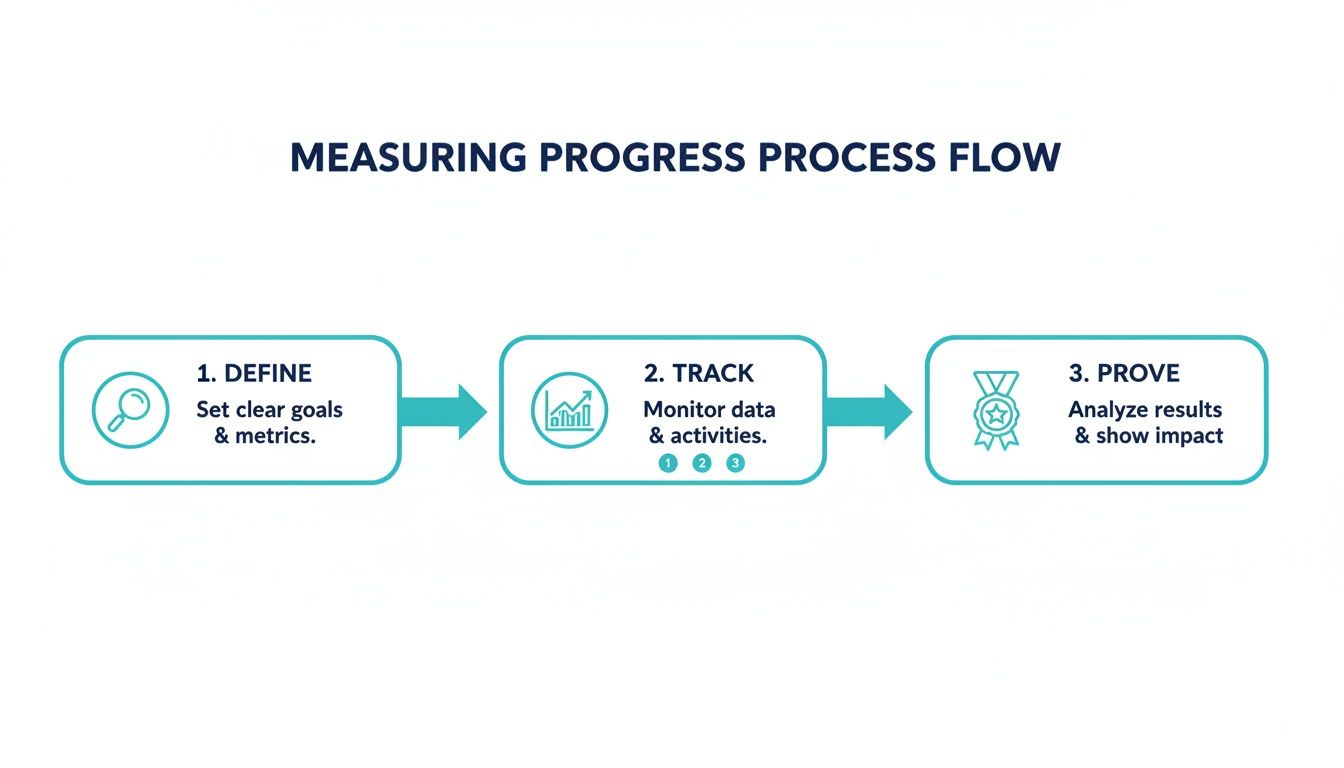
This visual is a great reminder: first, figure out what success looks like, then track your progress, and finally, show everyone the positive results.
Phase 2: Training and Implementation
With the groundwork laid, it's go-time for the technical side of things. This phase is all about hands-on support and making sure every single person feels confident with the new tools and workflows.
Your game plan should look something like this:
- Run Hands-On Training: Forget sending a PDF guide and hoping for the best. You need practical, role-specific workshops where your team can actually use the new systems with real-life examples from their own workload.
- Launch a Pilot Group: Don't go for a big-bang, company-wide launch just yet. Roll out the new processes to a small, enthusiastic group first. This is your chance to iron out any bugs and get honest feedback before everyone else jumps in.
- Create a Feedback Channel: Set up a dedicated space - a Slack channel, a Teams group, or even a simple shared document - for questions and issues. Make it crystal clear that feedback isn't just welcome, it's crucial for getting this right.
- Celebrate the Quick Wins: The moment a new automated workflow saves someone an hour of tedious work, shout it from the rooftops! Highlighting these small victories proves the value of what you're doing and gets others excited to jump on board.
Got Questions? We've Got Answers
If you're thinking about boosting your team's productivity, you're not alone. Many New Zealand business owners have the same questions when they start out. Here are some of the most common ones we hear, along with some straight-up, practical answers.
What's The Very First Thing I Should Do?
Don't dive into a massive, complex project straight away. The best place to start is with the quick wins.
Take a look at what your team does every single day and find the most repetitive, time-sucking tasks that add the least real value. This is often things like manually copying customer details from your CRM into your accounting software, or sending out appointment reminders one by one. Automating just one of these little jobs can easily free up a few hours every week. It’s a great way to build momentum and show your team the immediate benefits.
We're A Small Business On A Tight Budget. Can We Really Afford This?
Absolutely. Automation is much more accessible than people realise. You don't need a huge IT budget or a team of tech experts on staff. The trick is to start small and solve one specific, high-impact problem first.
Many Kiwi SMBs we work with kick things off with a simple, focused solution, like automating their new lead follow-up emails or streamlining how they create and send invoices. The time saved often pays for the entire setup within the first couple of months.
Once you see the results for yourself, you can always scale up as your business grows.
How Much Time Will It Actually Take To Get This Set Up?
This is a big concern for busy owners, but it's faster than you might think. A good automation partner does all the heavy lifting. The initial discovery session, where we map out your processes, usually only takes a few hours of your time.
From there, we can often have the solution built, tested, and ready to go in just two to three weeks. Our whole approach is designed to get you tangible results quickly, without pulling you away from the important work of running your business.
I'm Worried My Team Will Push Back Against New Technology. How Do I Handle That?
A bit of resistance to change is normal. It usually stems from people feeling left out of the loop or not understanding the reason behind it. The key is to bring them on the journey with you right from the start.
- Explain the 'Why': Make it clear that this is about getting rid of their most annoying tasks, not about micromanaging them. Frame it as a tool to make their jobs easier.
- Get Them Involved: Ask your team which processes they find the most frustrating. When they've helped identify the problem, they're far more likely to get behind the solution.
- Proper Training is a Must: Don’t just send a manual. Run hands-on training sessions that are specific to their roles, and make sure they know who to ask if they have questions.
When your team sees that new tech is genuinely there to help them, they’ll quickly go from being sceptics to your biggest supporters.
Ready to stop wasting time on manual admin and see what automation can really do for your business? Automate AI designs and builds custom solutions specifically for Kiwi businesses like yours. Book a free discovery call today to find your first automation win.
Found This Helpful?
Book a free 30-minute discovery call to discuss how we can implement these solutions for your business. No sales pitch, just practical automation ideas tailored to your needs.
Automate AI Team
AI Automation Expert at AutomateAI


